Antidesign Instagram Template PSD: A Practical Evaluation for Visual Content Creators
In the fast-paced ecosystem of social media marketing, visual consistency is not merely an aesthetic preference; it is a strategic necessity. For designers, marketers, and small business owners, the pressure to produce high-quality content daily can lead to burnout or a decline in brand coherence. This is where pre-designed resources like the Antidesign Instagram Template PSD enter the workflow. Rather than starting from a blank canvas for every post, these templates offer a structured foundation that balances creative freedom with efficiency. However, adopting a template-based approach requires understanding its technical specifications, limitations, and how it compares to other design methodologies.
Understanding the Technical Foundation
The core value of any Photoshop template lies in its architecture. The Antidesign Instagram Template PSD is built specifically for Adobe Photoshop, leveraging the software’s robust layer management system. At its heart, this resource is defined by its use of Smart Objects. For those unfamiliar with this feature, Smart Objects are container layers that hold image data from other files. This allows users to place their own photographs or graphics into the template without altering the original design elements, such as shadows, perspective, or color grading effects.
The workflow is designed for speed and precision. To utilize the template, one simply double-clicks the image layer icon within the designated group. This action opens a separate window where the user inserts their custom image. Upon saving (CTRL+S) and closing that window, the main composition updates automatically. This non-destructive editing process ensures that the integrity of the original design remains intact, regardless of how many times the image is swapped. It is a critical feature for professionals who need to iterate quickly or manage multiple client accounts.
Furthermore, the technical specifications are tailored for modern digital displays. The files are provided at 300 DPI (dots per inch) in RGB color mode. While 72 DPI is often cited for web graphics, starting with 300 DPI provides a higher resolution source file, ensuring that images remain crisp even if they are repurposed for print materials or high-resolution retina displays later. The dimensions cover the two most essential formats for Instagram: the square feed post at 1080 x 1080 px and the vertical story format at 1920 x 1080 px. This dual-format inclusion allows for cohesive cross-platform branding, ensuring that a campaign looks unified whether viewed in the main feed or through ephemeral stories.
Design Aesthetics and Typography
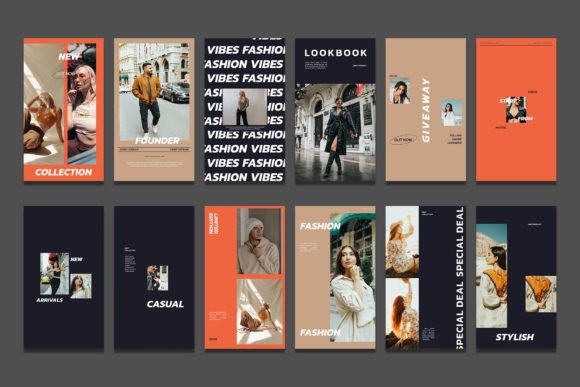
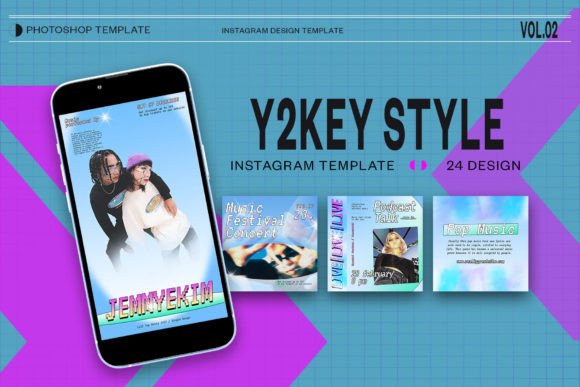
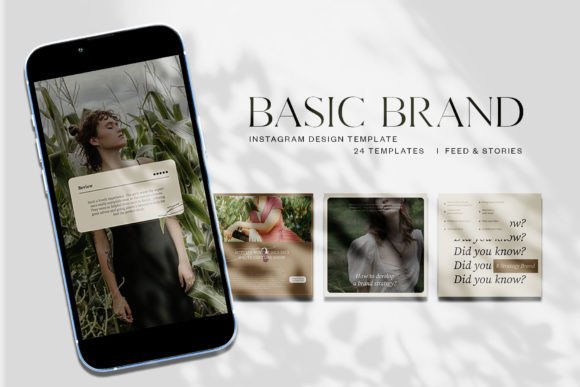
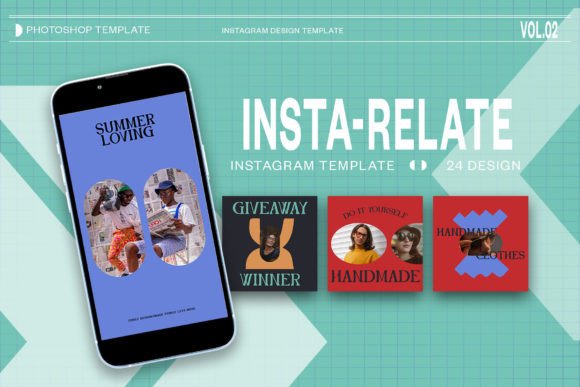
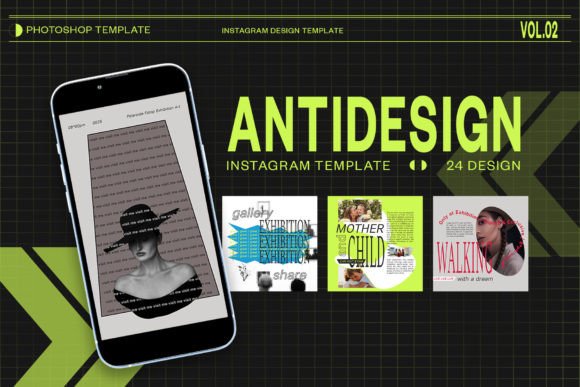
Beyond technical functionality, the visual identity of a template determines its suitability for a brand. The Antidesign series typically employs a minimalist yet bold aesthetic, characterized by clean lines and ample negative space. This "anti-design" approach—often misinterpreted as chaotic—is actually a deliberate move away from overly polished, corporate sterility. It embraces raw textures, asymmetric layouts, and brutalist typography trends that resonate with contemporary audiences.
Typography plays a pivotal role in this specific template set. The design utilizes two distinct fonts: LUNCHTYPE and STIKA. LUNCHTYPE offers a geometric, modern sans-serif feel that enhances readability, while STIKA introduces a more organic, handwritten, or display-oriented character. This combination creates a dynamic tension between structure and spontaneity. Importantly, all text layers are fully editable using the standard Photoshop text tool. This flexibility allows users to adjust headlines, body copy, and calls to action without breaking the layout. However, users must ensure they have the appropriate licenses for these fonts if they intend to use them commercially outside the template environment, or substitute them with similar free alternatives if necessary.
Comparing Templates to Custom Design and Canva
When evaluating the Antidesign Instagram Template PSD, it is essential to contextualize it against other common design approaches. The primary alternatives are custom design from scratch and using browser-based tools like Canva.
Custom Design vs. Templates
Designing from scratch offers unlimited creative control. There are no constraints on layout, font choice, or effects. However, this approach is time-intensive and requires a high level of proficiency in design principles. For agencies or established brands with dedicated design teams, custom work is ideal for flagship campaigns. For solo entrepreneurs or small teams managing daily content, the time cost is often prohibitive. The Antidesign template serves as a middle ground, providing a professional-grade structure that reduces production time by up to 80% while still allowing for significant customization.
Photoshop Templates vs. Browser-Based Tools
Platforms like Canva have democratized design, offering drag-and-drop simplicity. They are excellent for users with zero design experience. However, they often lack the granular control offered by Photoshop. For instance, advanced blending modes, precise mask adjustments, and complex layer styles are difficult or impossible to replicate in browser-based tools. The Antidesign PSD leverages Photoshop’s depth, allowing for subtle nuances in lighting and texture that elevate the perceived quality of the content. If a brand prioritizes a unique, high-end visual identity, the PSD format is superior. If speed and ease of access across multiple devices are the priority, a browser-based tool might be more appropriate.
Assessing Fit: When to Use This Resource
The decision to adopt the Antidesign Instagram Template PSD should be based on specific operational needs and skill levels. This resource is particularly well-suited for:
- Intermediate Photoshop Users: Individuals who understand layers, masking, and smart objects but want to accelerate their workflow.
- Brands Seeking Consistency: Businesses that need to maintain a strict visual grid on their Instagram profile without hiring a full-time designer.
- Campaign-Based Marketing: Marketers launching short-term promotions who need a cohesive look across feed posts and stories quickly.
Conversely, this template may not be the right fit for everyone. Beginners who have never opened Photoshop may find the learning curve steep, despite the "easy to use" claims. The interface requires familiarity with panel navigation and file management. Additionally, brands with highly specific, rigid brand guidelines that conflict with the template’s inherent style (such as those requiring strict corporate blue tones or traditional serif fonts) may find themselves spending more time modifying the template than creating from scratch.
Practical Considerations and Limitations
While the Antidesign Instagram Template PSD offers significant advantages, users must be aware of its limitations. First, it requires a subscription to Adobe Creative Cloud. For users who do not already possess this software, the ongoing cost may outweigh the benefit of a single template pack. Second, while the text is editable, changing the length of copy significantly can disrupt the balance of the design. Users must exercise typographic judgment to ensure that longer headlines do not overcrowd the layout.
Another consideration is the risk of homogenization. Because these templates are available to the public, there is a possibility that other brands may use similar assets. To mitigate this, users should heavily customize the color palettes and imagery. The template provides the skeleton, but the brand’s unique photography and voice provide the soul. Relying solely on the default colors and stock-like placements can result in content that feels generic.
Making an Informed Decision
Choosing the right design resource is a strategic decision that impacts both brand perception and operational efficiency. The Antidesign Instagram Template PSD represents a robust option for those who value high-resolution output, non-destructive editing, and a modern, edgy aesthetic. Its integration of Smart Objects and comprehensive layer organization makes it a powerful tool for streamlining content creation.
Before purchasing or downloading, evaluate your current workflow. Do you have access to Photoshop? Are you comfortable with basic layer manipulation? Does the brutalist/minimalist style align with your brand identity? If the answers are yes, this template can serve as a valuable asset in your digital toolkit. If you require simpler, cloud-based collaboration or have no design software budget, alternative platforms may serve you better. Ultimately, the best tool is the one that enables you to create consistent, engaging content sustainably over time.