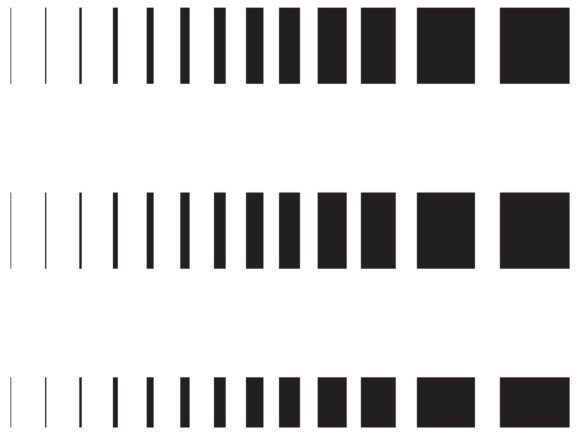
Mastering Layouts with the Dotted Vertical Line Collection
In the world of digital design and print production, precision is not just a preference; it is a necessity. Whether you are crafting a minimalist resume, designing an intricate invoice, or laying out a complex editorial spread, the alignment of elements dictates the readability and professional appeal of your work. This is where the Dotted Vertical Line Collection becomes an indispensable resource for designers, developers, and content creators. Rather than spending hours manually drawing guides or struggling with inconsistent spacing, this comprehensive asset pack offers an immediate, high-quality solution for creating structured, visually appealing layouts.
The core value of this collection lies in its versatility and technical robustness. When you acquire this package, you are not just getting a few clipart images; you are receiving a complete toolkit designed to integrate seamlessly into various workflows. The collection includes 52 PNG files at 300dpi, ensuring crisp, high-resolution output for any print project. For web and screen-based designs, the 52 SVG files provide scalable vector graphics that remain sharp at any size, whether viewed on a smartphone or a 4K monitor. Furthermore, for professionals who require full editability, the package includes 4 EPS files containing all designs, a single AI file with every element for Adobe Illustrator users, and 3 JPG files for quick previews or basic implementations. This breadth of formats ensures that no matter your software preference or project requirement, the Dotted Vertical Line Collection has you covered.
Solving Common Design Challenges
Many creatives face recurring challenges when attempting to create dividers, guides, or structural elements in their designs. One common issue is inconsistency. Manually drawing dotted lines often results in uneven spacing between dots or varying line weights, which can make a document look amateurish. Another challenge is resolution dependency. A line that looks perfect on a screen may appear pixelated or blurry when printed, especially if the original asset was not created at a high enough DPI. Additionally, finding the right orientation can be time-consuming; rotating a horizontal line to vertical often requires extra steps and can sometimes degrade image quality if not handled correctly.
The Dotted Vertical Line Collection addresses these pain points directly. By providing pre-rendered, professionally crafted lines in both vertical and horizontal orientations, it eliminates the guesswork. The inclusion of both orientations means you do not need to rotate assets, preserving the integrity of the design. The 300dpi resolution of the PNG files guarantees that your print materials, such as brochures, business cards, or formal reports, will have clean, sharp lines without any jagged edges. For digital applications, the SVG format ensures that your lines scale infinitely without loss of quality, making them ideal for responsive web design where elements must adapt to different screen sizes.
Practical Applications Across Industries
The utility of the Dotted Vertical Line Collection extends far beyond simple decoration. Its primary function is to create visual hierarchy and guide the viewer’s eye through content. Here are several practical scenarios where this collection proves invaluable:
- Corporate Documentation: In resumes, CVs, and cover letters, dotted lines are frequently used to separate sections or connect dates to job titles. Using assets from this collection ensures that these connectors are uniform and professional, enhancing the overall readability of the document.
- Financial and Legal Forms: Invoices, receipts, and contracts often require clear separation between line items or columns. The vertical and horizontal lines in this pack can serve as subtle dividers that organize data without overwhelming the reader, maintaining a clean and trustworthy aesthetic.
- Web and UI Design: Web designers can utilize the SVG files to create responsive dividers between content blocks. Because SVGs are code-based, they load quickly and can be styled further with CSS if needed, offering flexibility for modern web interfaces.
- Educational Materials: Worksheets, tests, and study guides often use dotted lines for writing practice or to separate questions. The high contrast and clarity of these lines make them ideal for educational contexts where legibility is paramount.
- Creative Scrapbooking and Journaling: For digital planners and scrapbookers, these lines add structure to pages without the rigidity of solid borders. They provide a gentle guide for arranging photos and text, contributing to a balanced and aesthetically pleasing layout.
Tailoring the Approach to Your Needs
Different users will approach the Dotted Vertical Line Collection in ways that suit their specific technical environments and creative goals. Understanding how to leverage the different file formats is key to maximizing the value of this resource.
For Graphic Designers using Adobe Illustrator: The included AI file is your best starting point. It contains all designs in a single, organized layer structure. You can easily ungroup elements, change colors, adjust stroke weights, or modify the dot spacing to match your brand guidelines. The EPS files offer similar flexibility for users of other vector-based software, ensuring that you have full control over the appearance of the lines.
For Web Developers and Digital Designers: The SVG files are the most efficient choice. These can be embedded directly into HTML code or used as background images in CSS. Their small file size contributes to faster page load times, while their scalability ensures they look crisp on retina displays and high-density screens. You can also manipulate SVG properties via code, allowing for dynamic interactions such as color changes on hover.
For Office Professionals and General Users: The PNG and JPG files offer the easiest integration. With 52 PNG files at 300dpi, you can drag and drop these directly into Microsoft Word, PowerPoint, or Google Docs. The transparent backgrounds of the PNGs mean they will overlay cleanly on any colored background without unsightly white boxes around them. This makes them perfect for quickly polishing up internal reports, presentations, or personal projects without needing advanced design software.
Implementation Tips for Best Results
To get the most out of the Dotted Vertical Line Collection, consider the following recommendations during implementation:
- Maintain Consistency: Choose one style of dotted line from the collection and stick with it throughout your document or design. Mixing different dot sizes or spacing can create visual clutter and distract the reader.
- Consider Color Contrast: While the lines are typically black or dark gray, feel free to recolor them in vector software to match your brand palette. Ensure there is sufficient contrast between the line and the background to maintain visibility.
- Use Whitespace Effectively: Dotted lines work best when accompanied by adequate whitespace. Avoid crowding text or images too close to the lines, as this can reduce their effectiveness as visual separators.
- Test Print Outputs: If you are using the PNG files for print, always do a test print to ensure the 300dpi resolution translates well to your specific paper type. Some textured papers may require slightly bolder lines for optimal visibility.
In conclusion, the Dotted Vertical Line Collection is more than just a set of graphical elements; it is a tool for enhancing clarity, professionalism, and efficiency in your design projects. By providing a wide range of formats including PNG, SVG, EPS, AI, and JPG, it caters to a diverse audience of creators, from corporate professionals to seasoned graphic designers. Whether you are looking to streamline your workflow, improve the visual hierarchy of your documents, or ensure high-quality output across both print and digital media, this collection offers a reliable and versatile solution. Embrace the precision and flexibility it provides, and elevate the standard of your visual communications.